
.png)
Choosing a security system for a manufacturing facility is not as simple as picking a few cameras and deciding where to mount them.
Manufacturing sites have people arriving for different shifts, contractors moving through the building, trucks entering and leaving, valuable equipment, stored materials, restricted areas, and production schedules that cannot afford unnecessary interruptions. Some facilities operate overnight. Others manage several locations with completely different layouts.
That is a lot for one security system to handle.
The right manufacturing facility security system should help your team control access, see what is happening, investigate incidents, and respond quickly. It should also be practical for the employees who will use it every day.
Before requesting proposals, here are the most important things to consider.
1. Start With the Facility, Not the Equipment
It is tempting to begin by comparing camera models, badge readers, and software features. That usually happens too early.
Start with the facility itself.
Walk the property and identify what needs to be protected. Pay attention to:
- Property lines and fences
- Employee and visitor entrances
- Vehicle gates
- Loading docks
- Warehouses and inventory areas
- Production floors
- Server and electrical rooms
- Research or testing areas
- Chemical and hazardous-material storage
- Parking lots
- Remote buildings and equipment yards
Then think about how people and vehicles move through those areas during a normal day.
Where do employees enter at shift change? How are delivery drivers verified? Can contractors reach parts of the building they do not need to access? Who is responsible for responding to an alert after hours?
These questions shape the system far more than a camera specification sheet.
The Cybersecurity and Infrastructure Security Agency identifies critical manufacturing as a sector where physical, operational, and cyber risks can affect essential functions. Its guidance encourages manufacturers to understand their dependencies and plan around the risks that could interrupt operations. Review CISA’s Critical Manufacturing Sector Security Guide.
2. Decide Which Security Systems Need to Work Together
Most manufacturing facilities need more than one type of protection. The real question is whether those systems will operate separately or work together.
A complete manufacturing security system may include:
Video surveillance
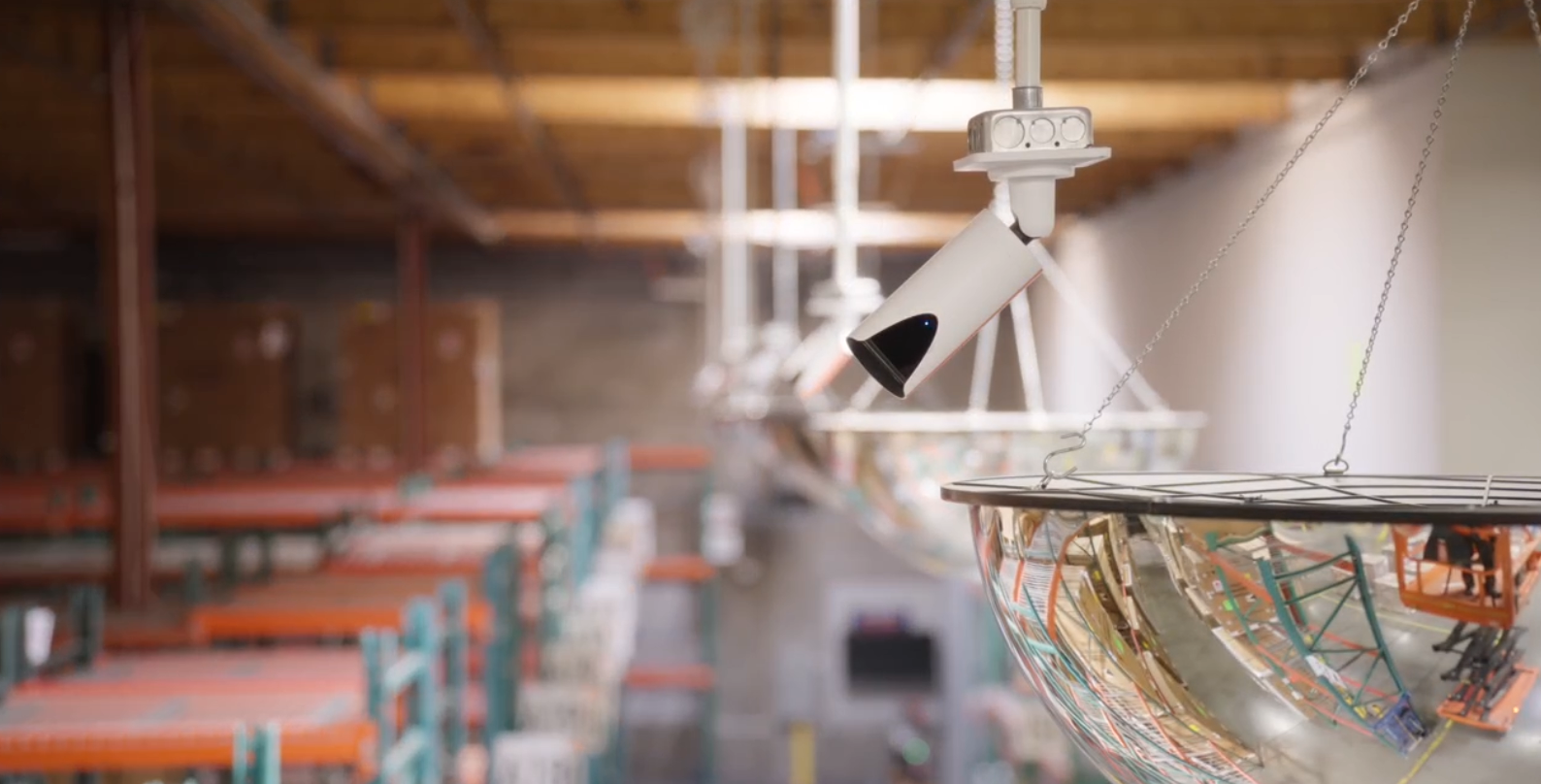
Security cameras provide visibility across entrances, production areas, warehouses, loading docks, parking lots, and the property perimeter.
Do not choose cameras based on resolution alone. Start by deciding what the camera must accomplish in each location.
For example, a camera used to see general activity in a warehouse has a different job from one expected to identify a face, capture a license plate, or document a shipment. Lighting, distance, viewing angle, movement, and storage time all affect whether the footage will be useful.
The federal Digital Video Quality Handbook recommends defining the purpose of a video system before selecting equipment. In plain terms, decide what you need to see first. Then select a camera that can produce that result. Read the Digital Video Quality Handbook.
Access control
Access control determines who can enter the building and which areas they can access once inside.
In a manufacturing facility, every employee may not need the same permissions. Maintenance teams, office employees, production workers, contractors, and supervisors may require access to different areas.
A good system should allow administrators to:
- Assign access by role, shift, location, or schedule
- Remove credentials quickly
- Create temporary permissions for contractors
- Review entry records
- Receive alerts for forced or propped doors
- Connect access events with matching video
That last point can save a lot of time. If someone uses a badge at a restricted door, the security team should be able to pull up the related video without searching through hours of footage.
Intrusion and perimeter protection
Doors and windows are only part of the perimeter.
Manufacturing sites may also need protection around fences, gates, storage yards, rooftops, outdoor equipment, trailers, and areas with limited lighting.
Perimeter protection can include cameras, motion detection, door contacts, alarms, license plate recognition, and monitored audio warnings. The right combination depends on the property and what actually happens there after hours.
A busy road beside a fence may create different alert problems than a remote equipment yard. This is why an onsite assessment matters.
Visitor and contractor management
A paper sign-in sheet may record a name, but it does not necessarily tell you who approved the visitor, where that person went, or whether they left the property.
A visitor management system can help manufacturers verify guests, notify employees, issue temporary credentials, collect required acknowledgments, and maintain a record of who was onsite.
This is especially useful for facilities that regularly receive vendors, temporary workers, drivers, inspectors, and maintenance contractors.
Fire and life-safety systems
Fire alarms and life-safety systems must follow applicable codes and inspection requirements. They should be considered as part of the facility’s larger emergency plan, even when they are managed separately from other security technology.
OSHA requires qualifying emergency action plans to address issues such as reporting emergencies, evacuation procedures, accounting for employees, and assigning response responsibilities. Your security and communication systems should support those procedures instead of working against them. Review OSHA’s emergency action plan requirements.
3. Compare Cloud-Based, On-Premises, and Hybrid Systems
There is no single deployment model that works for every manufacturer.
Cloud-based security
Cloud-managed systems allow authorized users to view cameras, manage access, and receive alerts from different locations. They can be helpful for companies with several facilities or limited onsite security staff.
Ask what happens if the internet connection goes down. Some systems continue recording locally and upload data when the connection returns. Others may lose certain functions during an outage.
On-premises security
An on-premises system stores and manages data at the facility. This may give an organization more direct control over its infrastructure, but it can also require more local hardware, maintenance, storage planning, and IT support.
The upfront price is only one part of the decision. Servers, replacement equipment, software updates, backups, and staff time can add to the long-term cost.
Hybrid security
A hybrid system combines local operation with cloud-based management or storage. This can give manufacturers remote access while keeping certain functions available locally.
When comparing the three, ask about internet dependence, storage, remote access, system updates, maintenance responsibilities, and the cost of adding another facility later.
4. Make Cybersecurity Part of the Purchase
Modern cameras, access control panels, intercoms, and sensors are connected devices. That means physical security and cybersecurity are no longer separate conversations.
Your IT team should be involved before the system is purchased, not after installation begins.
Ask prospective providers:
- How are devices authenticated?
- Can default passwords be changed or disabled?
- How are software and firmware updates handled?
- Is data encrypted?
- Can permissions be limited by role?
- Are administrator actions recorded?
- Does the system support multifactor authentication?
- How does it connect to the company network?
- What happens when a device reaches the end of support?
NIST recommends evaluating connected devices as part of the larger system they join. A device may perform its intended job and still create risk if it cannot be updated, monitored, or configured securely. Read NIST’s guidance for acquiring and integrating connected devices.
You do not need to turn the security project into an IT textbook. You do need the security provider and IT team in the same conversation.
5. Look Closely at Alerts and Incident Response
A security system can generate hundreds of notifications and still fail to help the people responsible for responding.
Ask what creates an alert, who receives it, and what happens next.
Can the system tell the difference between an employee walking near a gate and someone climbing the fence? Can alerts follow different rules during business hours and overnight? Can managers receive video with the notification? Can serious events be escalated automatically?
Also consider how quickly your team can investigate after an incident.
Look for practical features such as:
- Search by time, person, vehicle, or location
- Video connected to access-control events
- Easy clip sharing
- Clear audit records
- Floor plans or maps
- Mobile access for approved users
- Central monitoring across multiple locations
These features are not there to make a demonstration look impressive. They should reduce the amount of time your team spends searching for answers.
6. Plan for Real Manufacturing Conditions
A production facility is not a quiet office.
Dust, vibration, heat, cold, moisture, poor lighting, welding glare, moving machinery, tall storage racks, and changing floor layouts can affect security equipment.
Ask whether the proposed devices are suitable for the environment where they will be installed. A camera that looks great in a conference room may struggle near a loading dock at night.
The design should also account for lifts, forklifts, stacked materials, trailers, and other objects that can block a camera’s view. If storage racks or production lines move regularly, ask how the system will be adjusted.
Testing matters. Review daytime and nighttime footage before considering the project complete.
7. Consider the Total Cost, Not Just the Installation Quote
The lowest proposal is not always the least expensive system.
Compare the full cost over several years, including:
- Equipment
- Installation labor
- Network cabling
- Software licenses
- Cloud or video-storage fees
- Monitoring
- Maintenance
- Replacement parts
- Staff training
- System updates
- Future expansion
- Service calls
- Warranties
Also ask what is included in the quoted video-retention period. Thirty days of storage may sound sufficient until an inventory issue is discovered six weeks later.
Make sure each proposal uses the same assumptions. Otherwise, you may be comparing one complete system with another quote that leaves out storage, licensing, or ongoing service.
8. Make Sure the System Can Grow
Your security needs may change after a building expansion, acquisition, new production line, or schedule change.
Ask how difficult it will be to:
- Add cameras or doors
- Create new user roles
- Add another building
- Manage multiple locations
- Increase video retention
- Connect new security products
- Move equipment when the floor plan changes
A system that fits today but becomes difficult to expand can create another expensive replacement project later.
Questions to Ask a Commercial Security Integrator
Before selecting a provider, ask:
- Have you designed security systems for manufacturing facilities before?
- Will you complete an onsite assessment?
- How did you determine camera placement and coverage?
- Can the proposed systems work with our existing equipment?
- What happens during an internet or power outage?
- How are user permissions and software updates managed?
- What training is included?
- Who provides support after installation?
- What costs will continue after the first year?
- How can the system expand if our facility changes?
- What is covered by the warranty?
- How will you test the system before final approval?
A good provider should be able to explain these answers clearly. If every answer sounds like a sales pitch, keep asking questions.
The Right System Should Fit the Way Your Facility Operates
There is no universal manufacturing facility security system.
A small plant with one entrance will not have the same needs as a multi-site manufacturer with outdoor storage, overnight shifts, and a steady flow of contractors. The system should reflect the property, the people using it, and the incidents your team is expected to handle.
01
Faster Investigations
Modern security platforms help teams locate footage faster, identify vehicles and persons of interest, and gather evidence more efficiently.
Faster investigations
Improved evidence collection
Reduced response times
02
Streamlined Facility Access
Centralized access control helps organizations manage credentials, permissions, and facility access from a single platform.
Simplified administration
Better visibility
Improved accountability
03
Multi-Site Operations
Managing multiple locations becomes easier when security systems are unified into a single dashboard.
Unified visibility
Reduced complexity
Greater operational efficiency
04
Remote Monitoring
Remote facilities often lack on-site personnel. Remote monitoring improves awareness and response capabilities across distributed locations.
Increased visibility
Faster response
Enhanced coverage
Related Articles


Facility Snapshot
What does security look like at your location?
Claim your real-time area statistics and tailored security recommendations.
Get My Facility Snapshot >


.svg)
